

Click below for CWL GR List and Installation Guidelines

Academia
University use in teaching and academic research at a degree-granting institute.


Explore Ways to Transform How You Teach

Learn How Educators Teach with MATLAB Grader
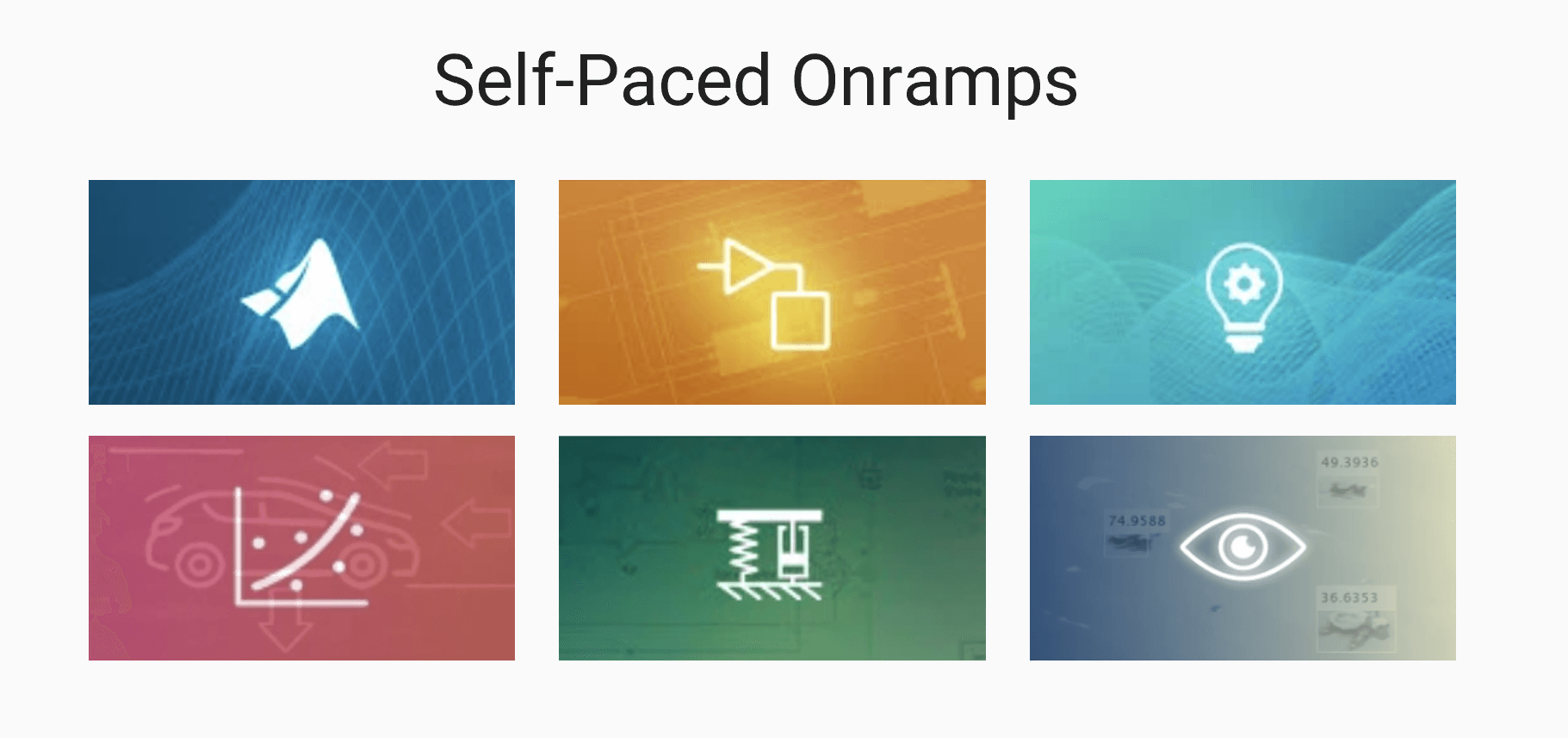
Learn MATLAB and Simulink through interactive, in-product exercises
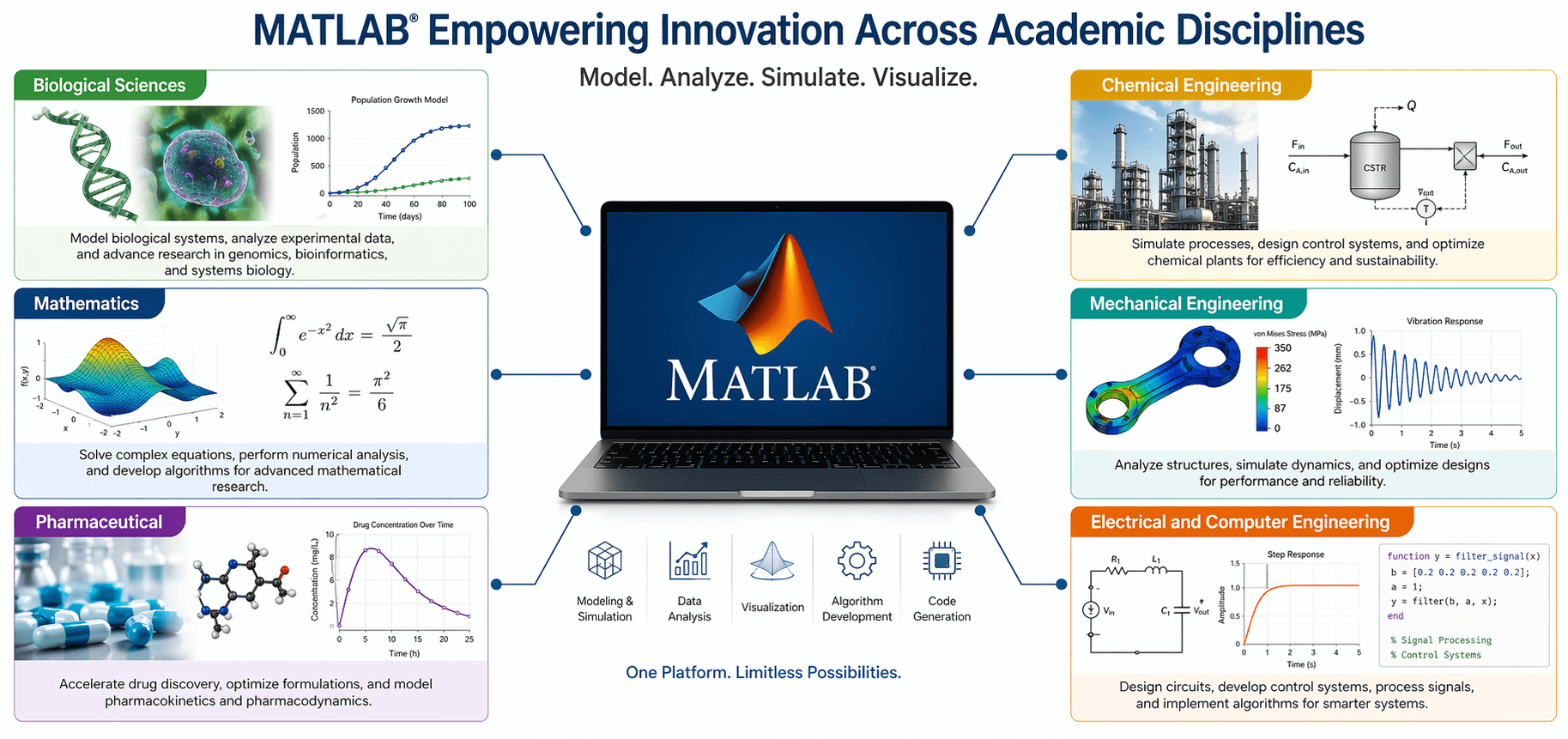
Biological Sciences
Model, simulate, and analyze biological systems
Chemical Engineering
Enhance teaching and learning experiences in courses and labs
Electrical and Computer Engineering
Teach electrical system concepts to the next generation of engineers
Chemistry
Analyze, visualize, and build predictive models for chemical data
Mathematics
Teach mathematics concepts to the next generation of engineers and scientists
Geoscience
Analyze and understand complex geological trends
Quantitative Finance and Risk Management
Import data, develop algorithms, debug code, scale up processing power, and more
Mechanical Engineering
Apply core engineering principles to deliver real-world solutions for complex systems
Physics
Control experiments, acquire and analyze data, and compare with simulations
Neuroscience
Process and analyze data, drive experiments, and simulate models of brain circuits
Biotech and Pharmaceutical
Develop algorithms, process data, design devices, and perform modeling and simulation for drug discovery and development
Medical Devices
Design, simulate, and test next-generation medical devices while ensuring regulatory compliance
To access your university license, please sign in to MathWorks using your official academic credentials. If you do not have a MathWorks account, you need to create one using your university email address.
Personal email addresses (e.g., gmail, yahoo) are not supported.
Find your university in the list below and click on the related link to get started!













MathWorks Portal → MathWorks university dedicated page
Info Page → MathWorks resources university dedicated page
Wiki Page → University internal page
Installation Guidelines for CWL Students
Install MATLAB on personal computers and in computer labs:
- Go to mathworks.com and sign in using only your University email address.
- Click “Install MATLAB” and follow the prompts to download and install MATLAB products. (Note: For multiple installations that are all the same, you can Install Noninteractively.)
- Select the license labeled MATLAB (Individual) when prompted.
- Download User Guide
Users will be prompted to sign in with their University email address the first time they run MATLAB on a specific computer in a computer lab or classroom. Thereafter, they can work offline on that computer.
At each release, install the latest release on shared computers to make all new products and features available to users.
Additional information:
- Install MATLAB on Personal Computers – Campus-Wide License (5:06)
- Install MATLAB on Shared Computers – Campus-Wide License (4:57)
Install MATLAB on permanently offline machines
For permanently offline computers that never connect to the internet, see Install MathWorks Products on Offline Computer. Use the license labeled MATLAB (Designated Computer). The administrator of the University must assign the user to the Designated Computer license.

Ready for a CWL?
Local Events

Upcoming Seminar
MATLAB Seminar at UNIWA
Advancing Geoscience Workflows with MATLAB: Live Demos & Practical Tools

UPCOMING Workshop
MATLAB Workshop at UOA
MATLAB applications in machine learning and data analysis in seismology and geophysics

UPCOMING Seminar
MATLAB Seminar at NTUA
Modern MATLAB Workflows for Earth and Environmental Sciences and Engineering

UPCOMING Workshop
MATLAB Workshop at UOA
Artificial Intelligence and Computational Mathematics with MATLAB

Tech Prizes!
Unleash your code. Showcase your skills.
Take home the glory… and a Tech Gift Card. 😉
Taking part in a Hackathon?
Check out these resources to dive into MATLAB and Simulink for your hacks!
Recent Hackathons
6/5/2025
University of West Attica
AI with MATLAB
10/12/2024
Aristotle University of Thessaloniki
AI with MATLAB
8/6/2023
National Technical University of Athens
AI with MATLAB
Past Workshops / Seminars
- 08/05/2026 – Aristotle University of Thessaloniki – Data Analysis and Artificial Intelligence with MATLAB
- 06/05/2026 – University of West Attica – Deep Learning for Image Processing with MATLAB
- 05/05/2026 – National Technical University of Athens – Data Analysis and Artificial Intelligence with MATLAB
- 18/02/2026 – National and Kapodistrian University of Athens – Data Analysis & App Design with MATLAB
- 31/10/2025 – Technical University of Crete – AI with MATLAB
- 22/10/2025 – National Technical University of Athens
Session A. 10:00-12:00 → Deep Learning with MATLAB
Session B. 12:00-13:00 → Teaching and Learning with Generative AI and MATLAB - 21/10/2025 – University of West Attica
Session A. 09:00-11:30 → App Design with MATLAB
Session B. 12:00-13:00 → Teaching and Learning with Generative AI and MATLAB - 20/10/2025 – Aristotle University of Thessaloniki
Session A. 10:00-12:00 → Deep Learning with MATLAB
Session B. 12:00-13:00 → Teaching and Learning with Generative AI and MATLAB - 08/05/2025 – University of Piraeus – App Design with MATLAB
- 07/05/2025 – National Technical University of Athens – App Design with MATLAB
- 05/05/2025 – Aristotle University of Thessaloniki – App Design with MATLAB
- 25/02/2025 – National and Kapodistrian University of Athens – Image Processing with MATLAB
- 16/04/2024 – National and Kapodistrian University of Athens – Data Analysis with MATLAB
- 15/04/2024 – Aristotle University of Thessaloniki – AI with MATLAB
- 07/11/2023 – Aristotle University of Thessaloniki – AI with MATLAB
- 07/06/2023 – National and Kapodistrian University of Athens – Machine and Deep Learning with MATLAB
- 11/10/2022 – Aristotle University of Thessaloniki – Machine and Deep Learning with MATLAB
- 05/10/2022 – National and Kapodistrian University of Athens – Machine Learning with MATLAB
- 30/05/2022 – National Technical University of Athens – Structural Mechanics with MATLAB
Get a 30-day Trial*
Start your free 30-day trial now.
 Evaluate MATLAB, Simulink, and 80+ products.
* For students or faculty who do not have access to a Campus-Wide License.
RESOURCES | QUICK LINKS
WORLDWIDE